Posts

Azure Data Factory Pre and Post Deployment for Octopus Deploy

This post covers how I solve a deployment and maintenance problem with Azure Data Factory (ADF). The problem was ensuring that the ADF instance only contains the active datasets, pipelines, dataflows and triggers. As mentioned in a previous post, my current company has tight security controls, which prevents us from linking our ADF instance to our git repository; our deployment method uses Octopus Deploy with a mixture of ARM template and Terraform. I use the Terraform to create the ADF instance and then ARM template for the ADF objects, like datasets, pipelines and dataflows, which causes the maintenance problem because the ARM templates deployment process does not delete objects that don’t exist in the ARM template. We found this out after we did a recent significant change to our ADF code and found many unused objects still in our ADF instance. I didn’t want to leave the unused objects for the following reasons: It would make it hard for other developers to understand what ADF ob...

Using the Terraform Databricks provider within Azure Databricks Workspace

We have moved our infrastructure to the Azure cloud, as mentioned in previous posts .  With this move, we also started the practice of infrastructure as code.  Our preferred method of deploying our infrastructure is using Terraform.  Recently I updated our Terraform code to use the Terraform Databrick provider to automate the creation of the clusters and not just the Azure Databrick Workspace.  This post covers some of my lessons learned while deploying our Databricks solution with Terraform. Configuring the Databricks provider When running the apply action of our terraform code, the first problem was trying to configure the Databricks provider and start the deployment of the cluster resource before Azure Databrick Workspace was fully operational.  Even with the implied and explicitly dependence on the azurerm_databricks_workspace resource. My method to resolve this early start off configuring Databricks provider objects was to use the data.azurerm_databricks_wo...

Automating Databricks deployments via Octopus Deploy

Image
If you are using Octopus Deploy to automate the deployment of solution(s) and part of your solution is using Databricks, then this post might interest you. We are using Databrick within my current project, and due to tight security controls, we cannot link our workspace to our git repository. We were manual importing our Databricks workbooks as our method of deployment. Until we automate the process using Octopus Deploy and the newly created community step template: Import Databricks Workbooks. Currently, the community step template only imports workbooks with the ‘.ipynb’or ‘.scala’ file extension and only communicates to the DataBricks instance using HTTPS. The task uses the DataBricks rest API v 2.0 to update the DataBricks instance, so there is no requirement to install any extra supporting software. The template only requires the parameters: DataBricks Workbook Package: The package of the Databricks workbooks for deployment. Databricks Instance Uri: The hostname of the Databrick...

Challenges of move SQL Server data to Microsoft Azure SQL Server PaaS

This post covers one of the challenges we face when moving our infrastructure from on-prem to Microsoft Azure: Moving SQL Server data from on-premise to Microsoft SQL Server Paas. Moving our data was a challenge for the following reasons: Our company has tight controls and rules about what software/connectivity is allowed on our network The database that we need to migrate after compression was over 100GB in size. No information about how long other migration processes would take. As needed to ensure our migration was complete before the next Monday on the weekend of our migration. For most people migrating their data, the best option is to use Azure Database Migration Service , especially when transferring a database size that we were. We couldn't use the Azure Database Migration Service for the following reasons: Azure Database Migration Service requires software installed on a server within our network Connections to both databases ...

Azure SQL Server IaaS SSIS: A required privilege is not held by the client

Image
As mention in a previous post, we are using Azure SQL Server IaaS to help our transition to the cloud. The main reason for this is how some of our SSIS projects, which we inherited, were created. Some were using SSIS to manage the transactions, which uses MSDTC not supported in Azure. Use extra .Net libraries to read JSON and office files; external programs to do file operations like decompression. Migration timelines and priorities we didn't have time to refactor these projects. While ago we started to deploy our SSIS projects to our Azure SQL Server IaaS virtual machine, a Windows 2019 server with SQL Server 2019, to get the following error: SSIS Deployment Error 6522 "A required privilege is not held by the client". We able to resolve our problem by using the steps we found in the following blog posts: System.ComponentModel.Win32Exception: A required privilege is not held by the client while Deploying SSIS Project | Microsoft Docs . Fixing SQL 2012 SSIS Deployment Err...

Azure SQL Server IaaS: A quick approach to resolving collation conflict.

In this post I would like to highlight that approach that you can take to resolve the following error that you might get after restoring your on-prem SQL Server database(s) to Azure SQL Server IaaS: Cannot resolve the collation conflict between We were getting the error because the Azure IaaS SQL Server default collation is: SQL_Latin1_General_CP1_CI_AS. Our on-prem default is Latin1_General_CP1_CI_AS. And our SQL code wasn’t setting an explicit collation for joins between temp tables and physical database table for character columns. For the UK SQL Server install the server collation default is Latin1_General_CP1_CI_AS when the windows host language and location are set as English United kingdom. We also didn’t have time to go through all our SQL code to find where we need to add explicit collation. The decision was to change SQL Server default collation to Latin1_General_CP1_CI_AS To set the SQL Server collation to default can be done using this command on the Azure VM: .\ C :...

Mapping Azure files share for Azure SQL Server IaaS

As mention in a previous post: A Gotcha when using the Azure SQL Server IaaS.   I am working on moving our company product to the Azure Cloud and having to use Azure SQL Server IaaS. In this post, I will share how I used the Azure VM Custom Script Extensions to map a drive to Azure file share accessible for SQL Server services. I couldn’t use the Azure portal script:  1 2 3 4 5 6 7 8 9 $connectTestResult = Test-NetConnection -ComputerName mystorageaccount.file.core.windows.net -Port 445 if ($connectTestResult.TcpTestSucceeded) { # Save the password so the drive will persist on reboot cmd.exe /C "cmdkey /add:`"mystorageaccount.file.core.windows.net`" /user:`"Azure\mystorageaccount`" /pass:`"mystorageaccount.file.core.windows.net key `"" # Mount the drive New-PSDrive -Name Z -PSProvider FileSystem -Root "\\mystorageaccount.file.core.windows.net\myfileshare" -Persist } else { Write-Error -Message "Unable to r...

A Gotcha when using the Azure SQL Server IaaS

I am currently working on moving our company product to Azure Cloud.  In this post, I am going to share a gotcha I came across with our Azure SQL Server IaaS. For our product, we have to use Azure SQL Server IaaS for a few reasons:  The way our SSIS projects have been developed like: using DTC,  Office drivers and file operations; We have a few cross-database queries within our Store procedures; A fair bit of automation using SQL Server Agent. I have been helping to create our Azure infrastructure using Terraform and ARM templates to build our Azure SQL Server IaaS.  Getting our SQL Server made was reasonably straightforward.  The gotcha was when we looked at the results: The SQL Server agent was installed but not started and the start-up for the service set as manual.  As mentioned, we use SQL Server agent to automation a few processes within our product; this wasn't the desired state also I must admit I have forgotten that this is SQL Server Agent default...

How optimise dynamic search store procedure.

I want to share the approach that I lead, with the application developers, in optimising a feature within our application. This feature was the search functionality, which almost every application has and gives SQL Server database a bad reputation, that finds data by selected attribute(s) and limits the rows output based upon the application rows and page selectors. The problems were not the usual lousy T-SQL code approach to optional search predicates: 1 2 where ( table .column1 = @pColum1PredicateValue Or @pColum1PredicateValue is null ) AND ( table .column2 = @pColum2PredicateValue Or @pColum2PredicateValue is null ) The main problem was with the implementation of the store procedure to build the dynamic T-SQL string. The string was initialised with a select statement, containing all fields required for the application output, and extra table joins to cover all possible predicates. The where clause only had the predicates that were select by the user. Another issue was the...

Loading SQL Server PowerShell Module tip

Image
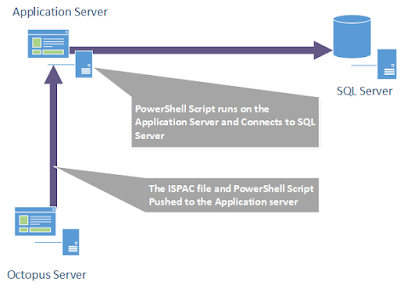
As mentioned in previous posts: Automating building of SSIS projects Automating deployment of SSIS projects I have been working on integrating our SSIS projects into our continuous delivery pipeline using Octopus, PowerShell and the SQL Server PowerShell module. In this post I will cover how I had to resolve the following error: New-Object : Cannot find type [Microsoft.SqlServer.Management.IntegrationServices.IntegrationServices]: verify that the assembly containing this type is load. I'm going to start explaining the contributing factors which led me to getting the aforementioned error: Where the script is executed What the script does. Where the script is executed As part of the deployment pipeline, we decided not to install tentacles on our SQL Servers. To deploy our SQL Server changes we use one of our application servers, to receive Octopus packages like our SSIS projects, SQL Scripts, then the application server runs the deployment PowerShell scripts to update ...

Automating deployment of SSIS projects

Image
As mentioned in the previous post: Automating building of SSIS projects , I am working on integrating our SSIS projects into our continuous build/deployment process. In this post, I will cover my implementation of automating the deployment of SSIS projects. Our continuous delivery pipeline uses the Octopus Deploy platform which is a release management; automated deploy and operation runbook platform that consists of a central server and deployment agents referred to as tentacles. The tentacles receive the deployment packages, which contains the code being deployed, and runs the deployment scripts. The server is where all the deployment packages are stored; deployment projects are maintained and the management of the following: infrastructure, users and server. Octopus deployment projects are defined as steps from one of the following templates types: Built-in, custom or Community ...

Automating building of SSIS projects

I am currently working for a healthcare solutions company on one of their leading products. Presently we are working on improving our continuous build/deployment processes. I have been looking into how to include all our SQL Server Integration Services (SSIS) projects and would like to share the approach taken for the continuous build in this blog post. Automating the build of SSIS project(s) is not as straightforward as it is for the .Net projects. One of the main barriers is that for SSIS projects there is no native support in the visual studio standard build tool (MSBuild). If you wish to use MSBuild you would need to write your own build file with a custom extension library that you would have either created yourself or downloaded from a community/open source code sharing site.My approach was to use PowerShell to do the following: Read an XML config file which has the solution and projects files paths along with build configuration. Find the path to visual studio. By using...

Database Projects Topologies

Image
I have been working with Visual Studio Database projects starting with Database Professional to its successor SQL Server Data Tools. Within this post I wish to share some of the project topologies that I have used to manage my project databases requirements Before starting I would like to cover the 2 ways that database projects can be referenced.  As these methods play an important part of the projects topologies without having to develop code. External Referencing When adding a database reference and setting the options of database name or, optional, server name with a literal / variable value will configure the reference as external.  This will mean any SQL objects within the reference will need to be referred by using 3/4 part naming.  Also the referenced DACPAC / project will need be to deployed first, separately, before deploying the current project. Composite Referencing Creating a database reference but not setting the database name / server name will confi...

Automation database deployment with refactored objects

Image
While automating the deployment for my SQL Server Data Tools (SSDT) projects, as mentioned in a previous post: Automating SQL Server Database Projects Deployment , I found it important to create / maintain the projects refactor logs.  This is because SSDT / DAC framework uses the model driven deployment method, which works by comparing the model with the target database to create / execute a delta script for updating the database to match the model.  A problem with is method is miss identifying objects which have been renamed or transferred to a new schema. For code objects like: store procedures, functions, views etc. this would be more of a nuisance as the database will contain redundant code. This would happen if the deployment option DropObjectsNotInSource is not set to true.  This would make it harder to maintain the database and may cause future deployments to fail if schema binding is involved. However for tables or columns, again depending on deployment opti...

Building a simple dynamic site map

A while ago I worked on a project to improve a website indexing within search engines. The project was initiated because there was a noticeable usage downward trend for the site. The main reason was the site was not being listed within relevant searches by search engines. This was because our content didn't emphasize the keywords within the search due to our HTML layout; URL structure and crawling errors. One aspect of the project was to improve the site layout and provide more information publicly.  The layout improvements were: to include the use of headers to highlight search keywords; a simpler layout to reduce HTML errors.  Providing more information was to help increase coverage of keywords.  Another improvement made to the site was the restructuring of the site URLs.  By making the URLs more human readable and converting the site search functionality to use ASP.Net routes. A site map was introduced to enable to help the search providers index our site of o...

Automating SQL Server Database projects Deployment

Within this post I wish to share the methods I used to automate the deployment of my SQL Server database projects.  I needed to automate the deployment of my database projects within the build process so I could integrate the execution of my unit tests. As mentioned in a previous post: Integrating TSQLT with Team Foundation Build Services continuous build .  I also wanted to automate the deployment into the development, test and production environment for the following reasons: To empower the developers to do database deployment into the required environment and reducing the dependence on me. To reduce the complexity of deploying the database projects. To have an easy deployment process to document i.e. run this script. In a way to document the deployment of the database projects. Before I start I would like to highlight an invaluable project / solution file(s) that help with the automation.  These are "Profiles" which are used as configuration files for deploym...

Integrating tsqlt with Team Foundation Build Services continuous build

Image
As I've mentioned in a previous blog post I have been integrating a SQL Server unit test framework: tsqlt into my project life-cycle ( click here to read more ).  Within this post I will share how I got my tsqlt unit tests executing within the continuous integration solution and the results influencing the outcome of the build. The continuous integration platform I am using is Team Foundation Build Services 2012 (TFBS). However my approach will work with any continuous integration platform which handles MS-Build and MS-Test, like Team City. Build Integration As I had created my database unit tests within SQL Server Data Tools (SSDTs) integrating them into the continuous integration was a straightforward process.  By extending the build definition to include the unit test project into the list of solution / projects which have to be built.  As I had my own solution, which was listed within the build definition, for all the database projects and other related projects m...

Integrating tsqlt with SQL Server Data Tools

Image
As mentioned in a previous post I've recently been working with a SQL Server unit test framework: tsqlt. I would like to share how I managed to integrate the framework and unit test into my project life-cycle. Unit tests should be treated the same as application code, meaning they should be contained within a project under source control. Being under source control will allow the tests to be maintained and changes tracked when multiple people are helping to write tests.  Also having the unit test in a project means there is a deployment mechanism out-of-the-box. The tsqlt framework has a few requirement which are as follows CLR is enabled on the SQL Server The framework and the unit test are contained within the same database of the objects which are being tested The database instance is trustworthy As unit test are required to be contained within the same database as the objects being tested, also due to the way SQL Server Data Tools (SSDT) project validation works, th...